


Support That Never
Misses a Customer
15:00

Take 1 x 200 mg with or without food, avoid alcohol. Clean your hands!


9:41


Resolve issues faster, keep every conversation connected, and give your team one clear view of every customer request - from first message to final resolution.
Slow Response
Delayed Replies
Long Wait Times
Missed Requests
Unanswered Messages
Lost Conversations
Scattered Chats
Missing History
Repeated Questions
No Conversation Context
Resolution Gaps
Unresolved Issues
Repeated Complaints
Poor Follow-Ups
Escalation Delays
Tracking & Visibility
No Ticket Tracking
Manual Status Updates
Missed Escalations
No Support Insights
Your Customers Have More Than One Support Problem.
Customer Support Is Not Just a Ticket.
It Is the Digital Connection to Every Customer.
Traditional support focuses on resolving individual issues. Anvaya connects conversations, requests, tickets, and customer history into one seamless support experience.





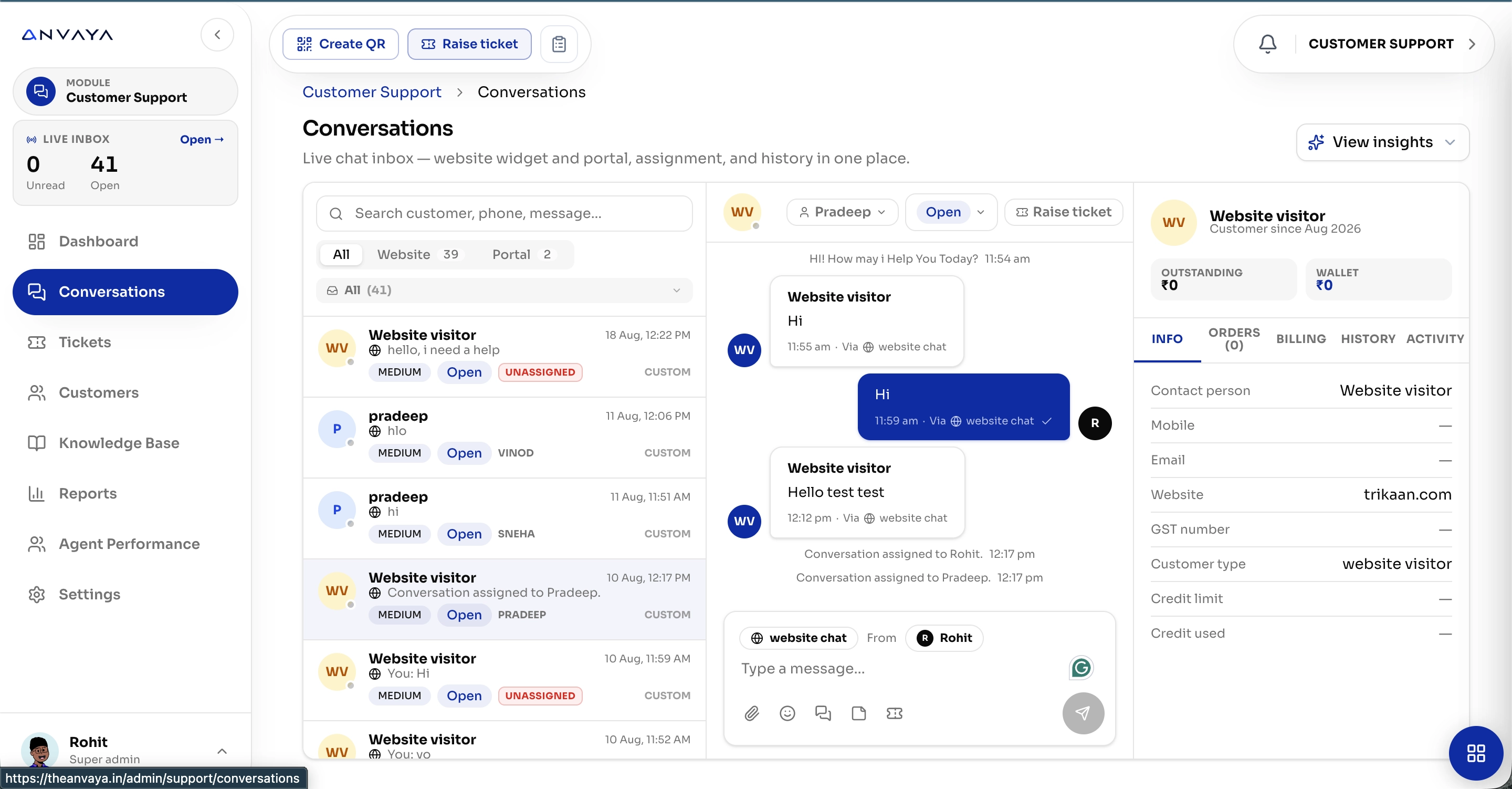
Every Conversation.
One Connected Support Inbox.
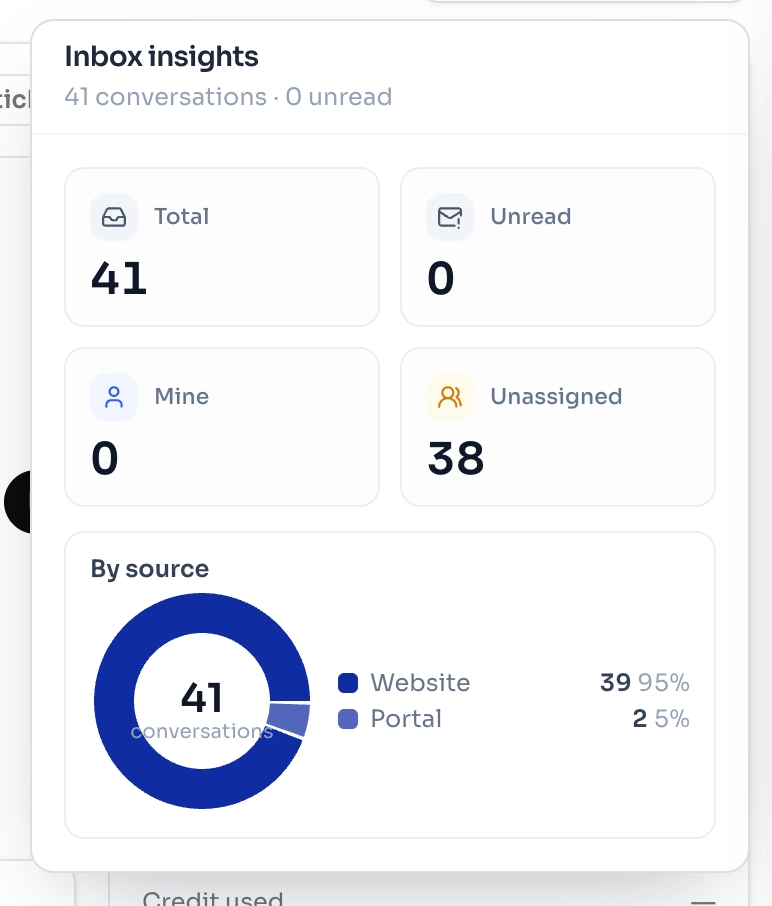
Bring website chats, portal requests, tickets, customer history, assignments, and support insights together in Anvaya - so your team can see, manage, and resolve everything from one place.
Every Issue, Tracked From Start to Resolution.
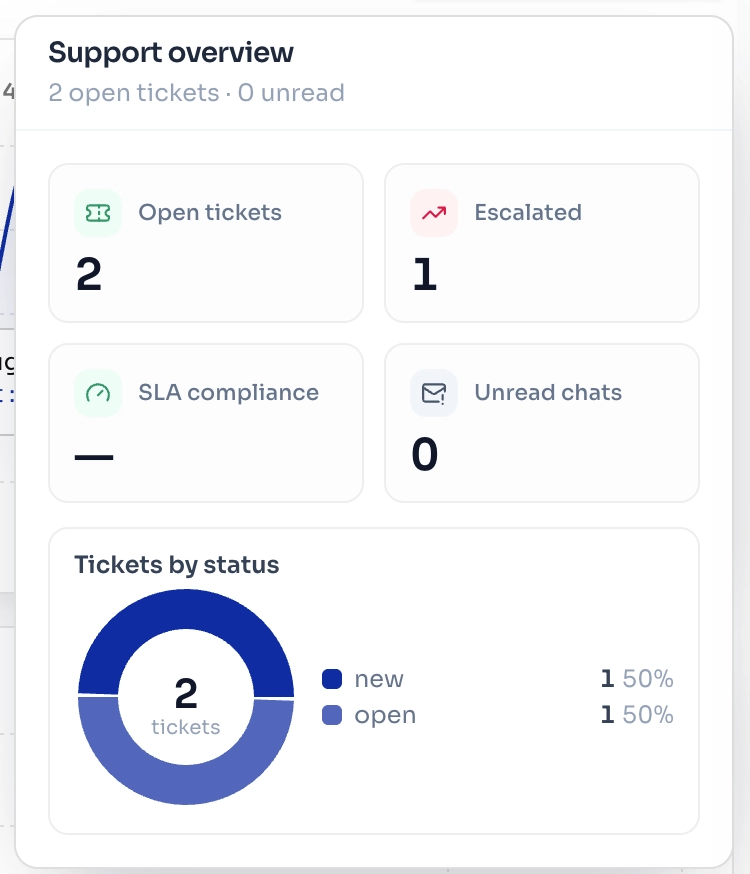
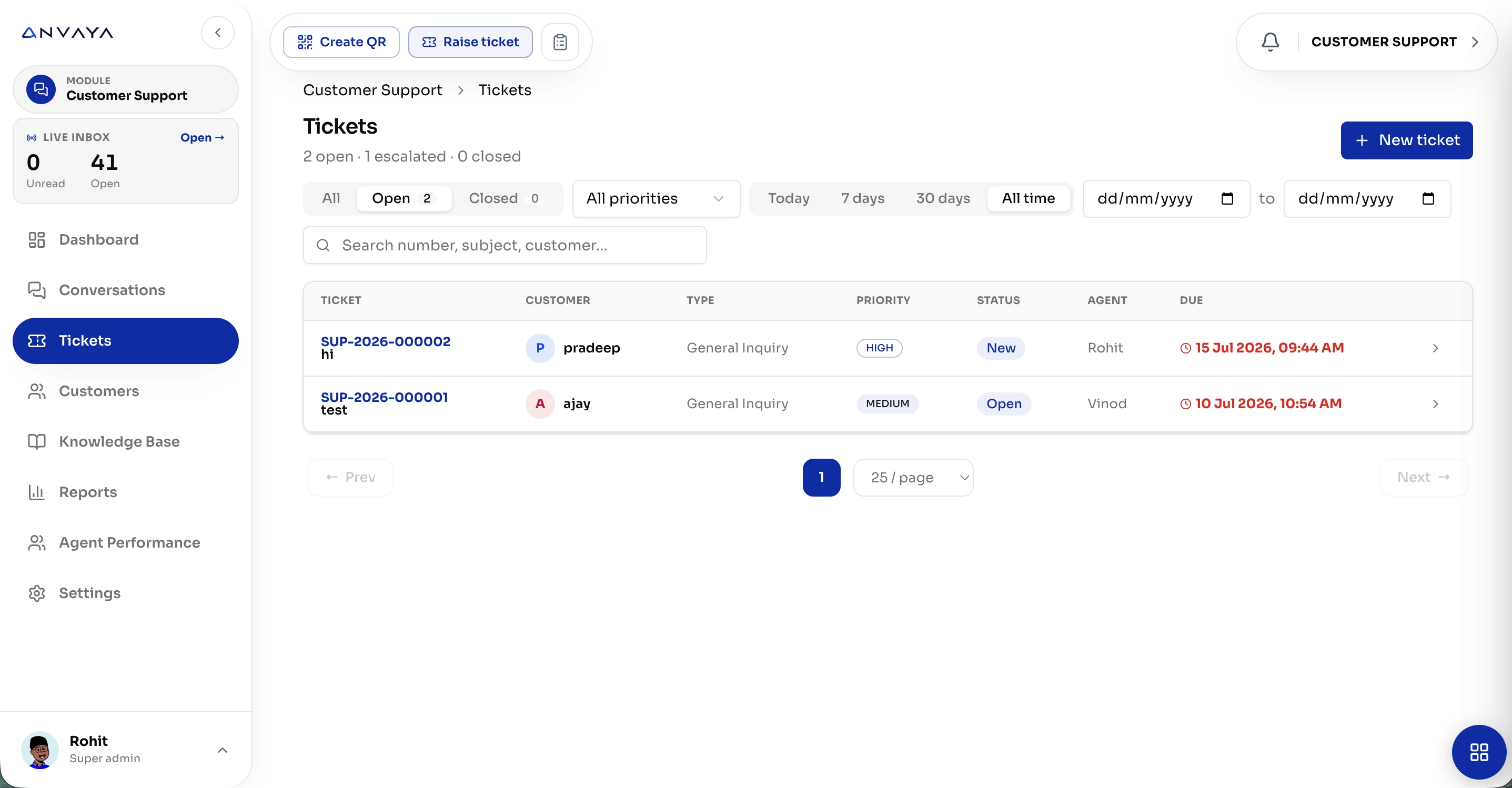
Create, assign, prioritize, monitor, and resolve customer tickets with complete visibility across your support team
Every Customer.
One Complete View.
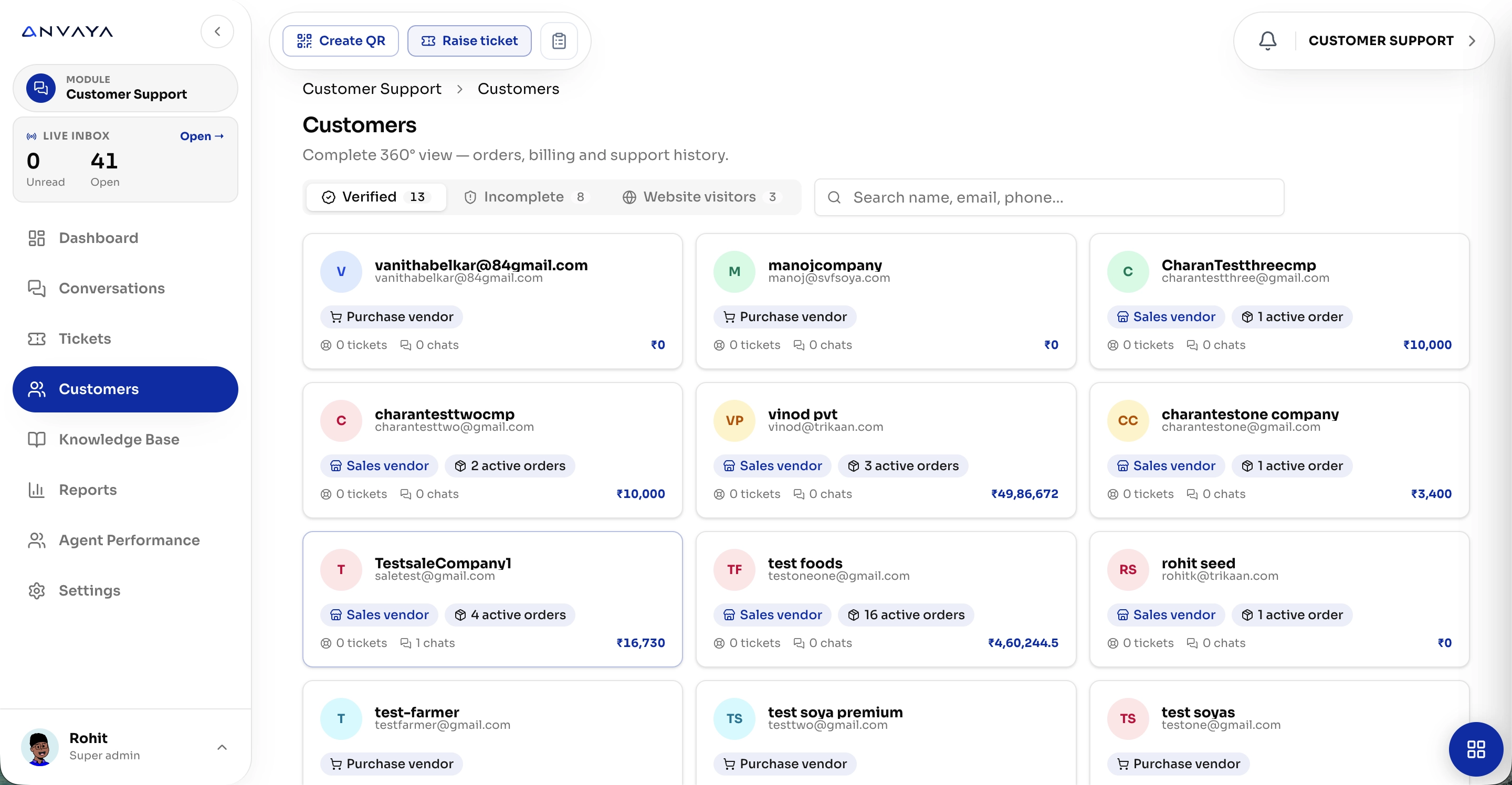
Bring customer details, orders, conversations, tickets, billing, and support history together in one connected workspace - so your team always knows who the customer is and what they need.
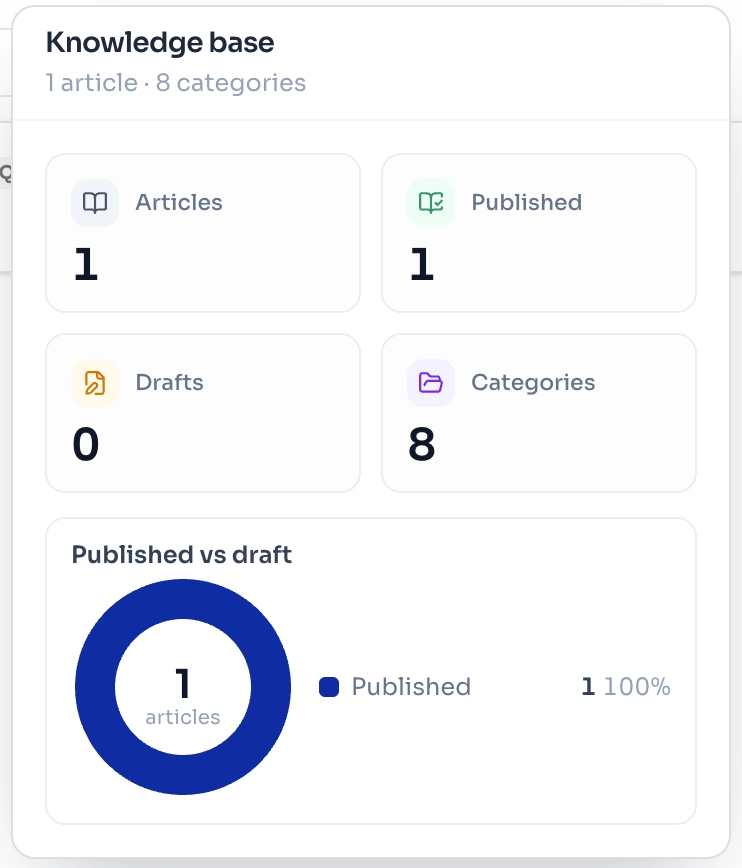
Every Answer, Ready When Customers Need It.
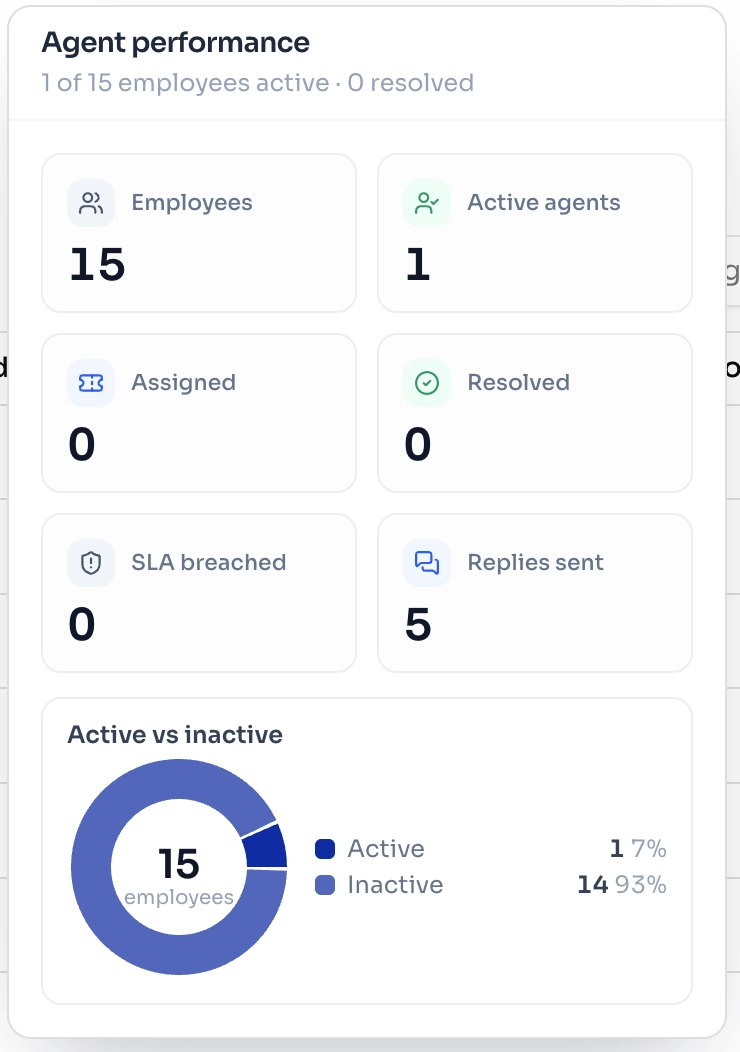
Every Agent. Every Action. Accountable.
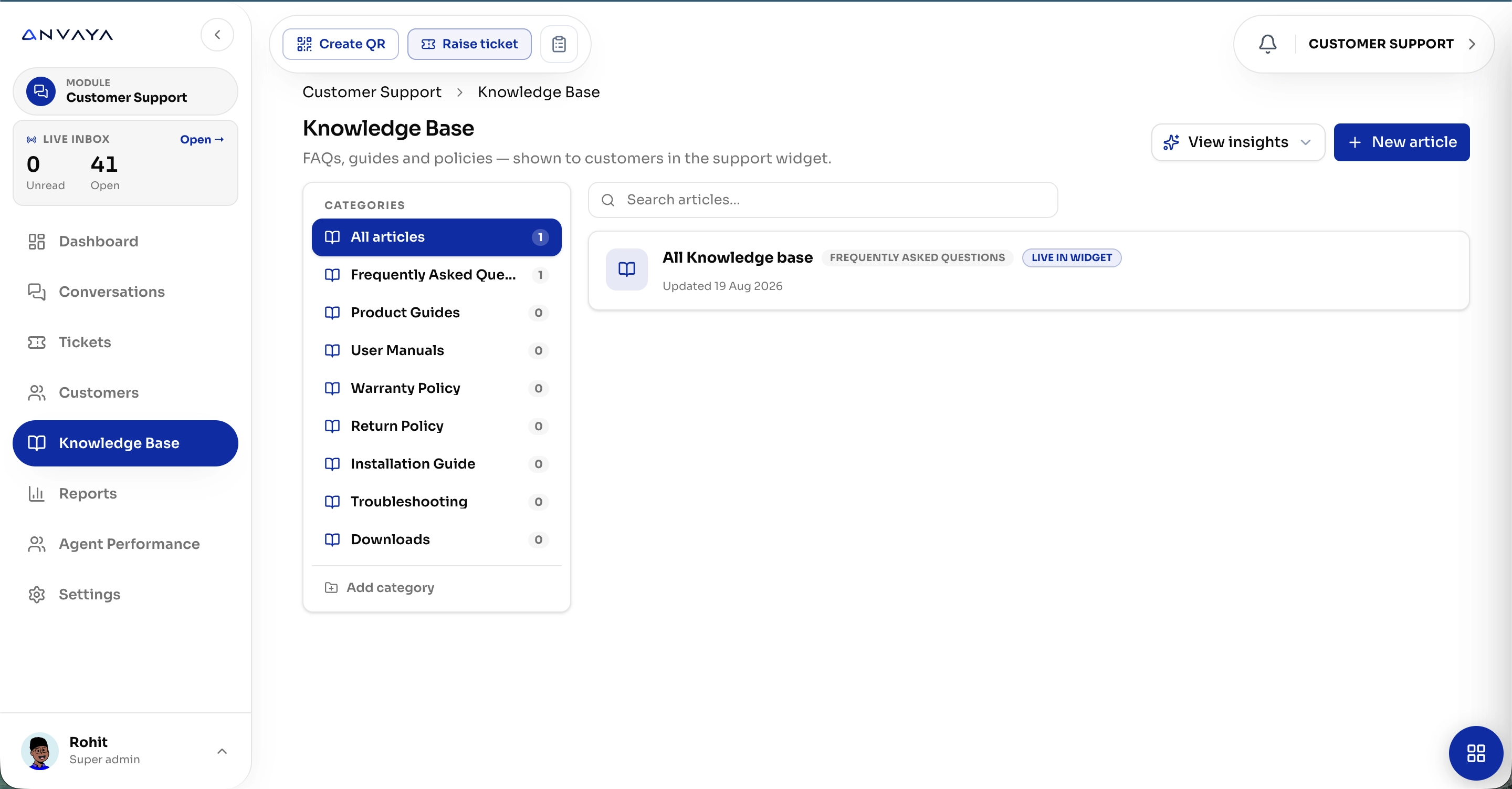
Turn FAQs, guides, policies, manuals, and troubleshooting content into a searchable knowledge base - available directly inside your support widget for faster, self-service resolution.
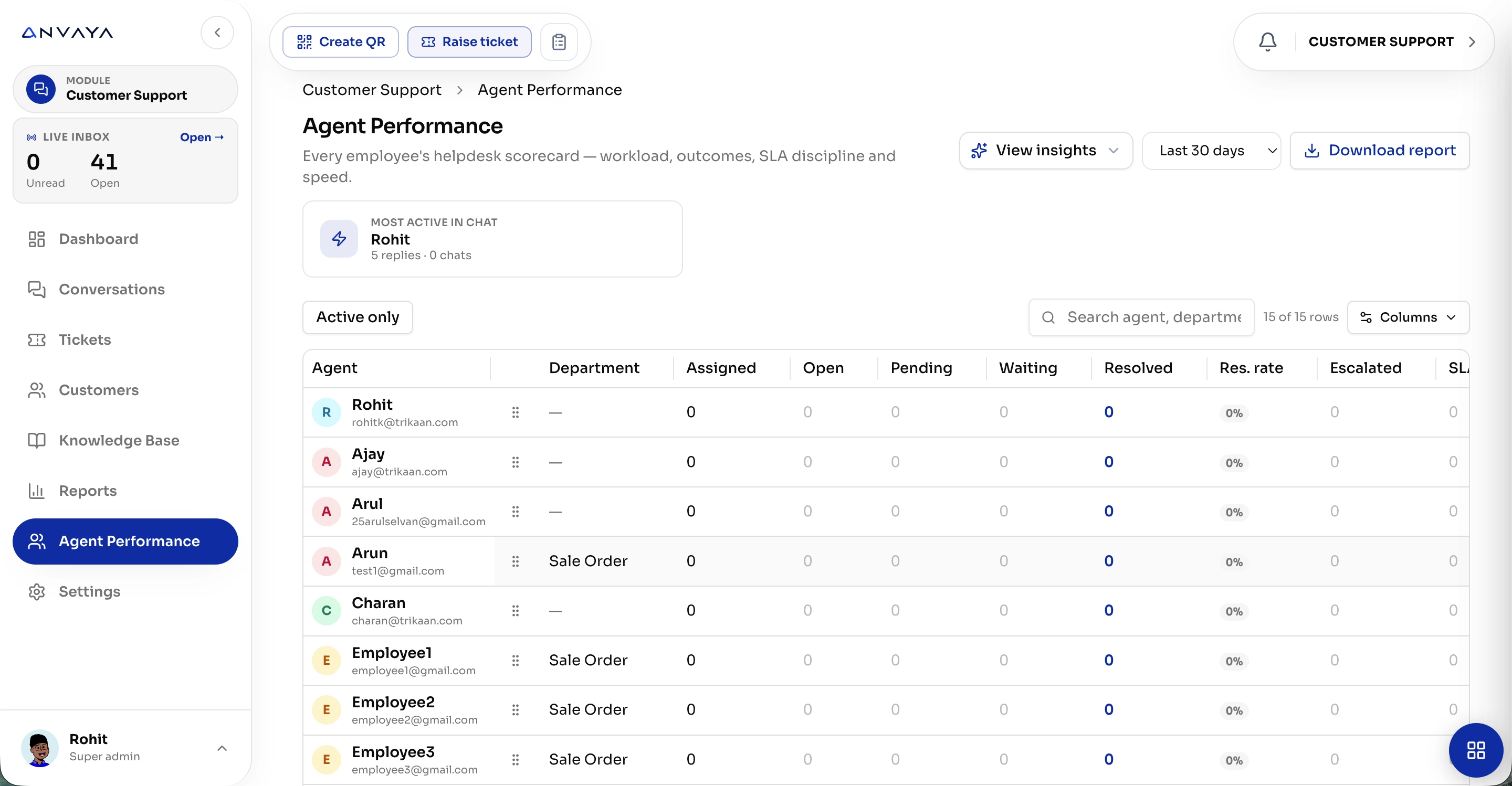
Track workloads, assignments, response times, resolutions, escalations, and SLA performance in one place - so you know what your support team is handling and where help is needed.
Every Support Insight,
All in One View.
Your Support. Your Rules. Your Workflow.
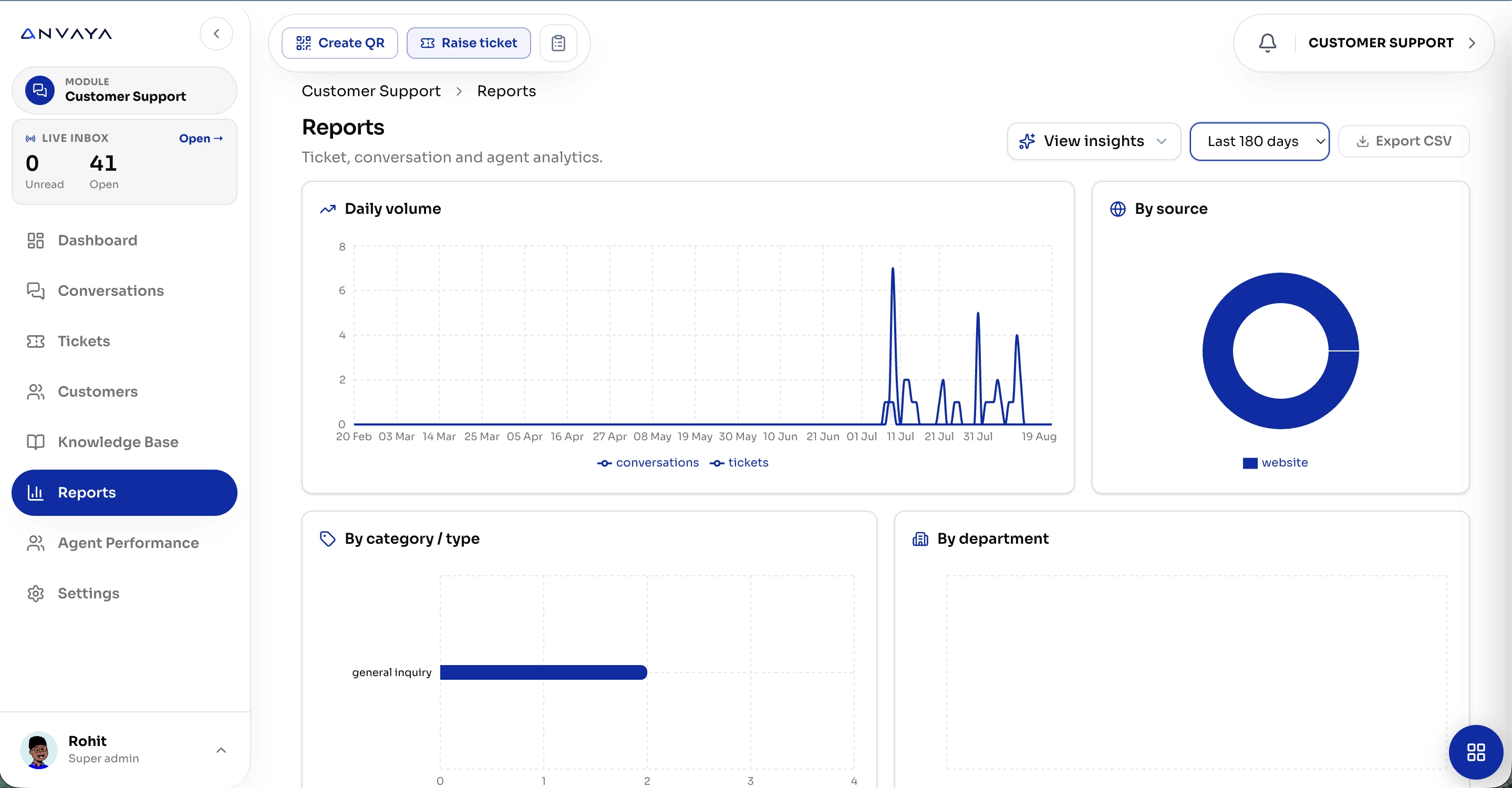
Track conversations, tickets, categories, channels, departments, and support trends with clear reports so your team can measure performance, spot recurring issues, and make better decisions.
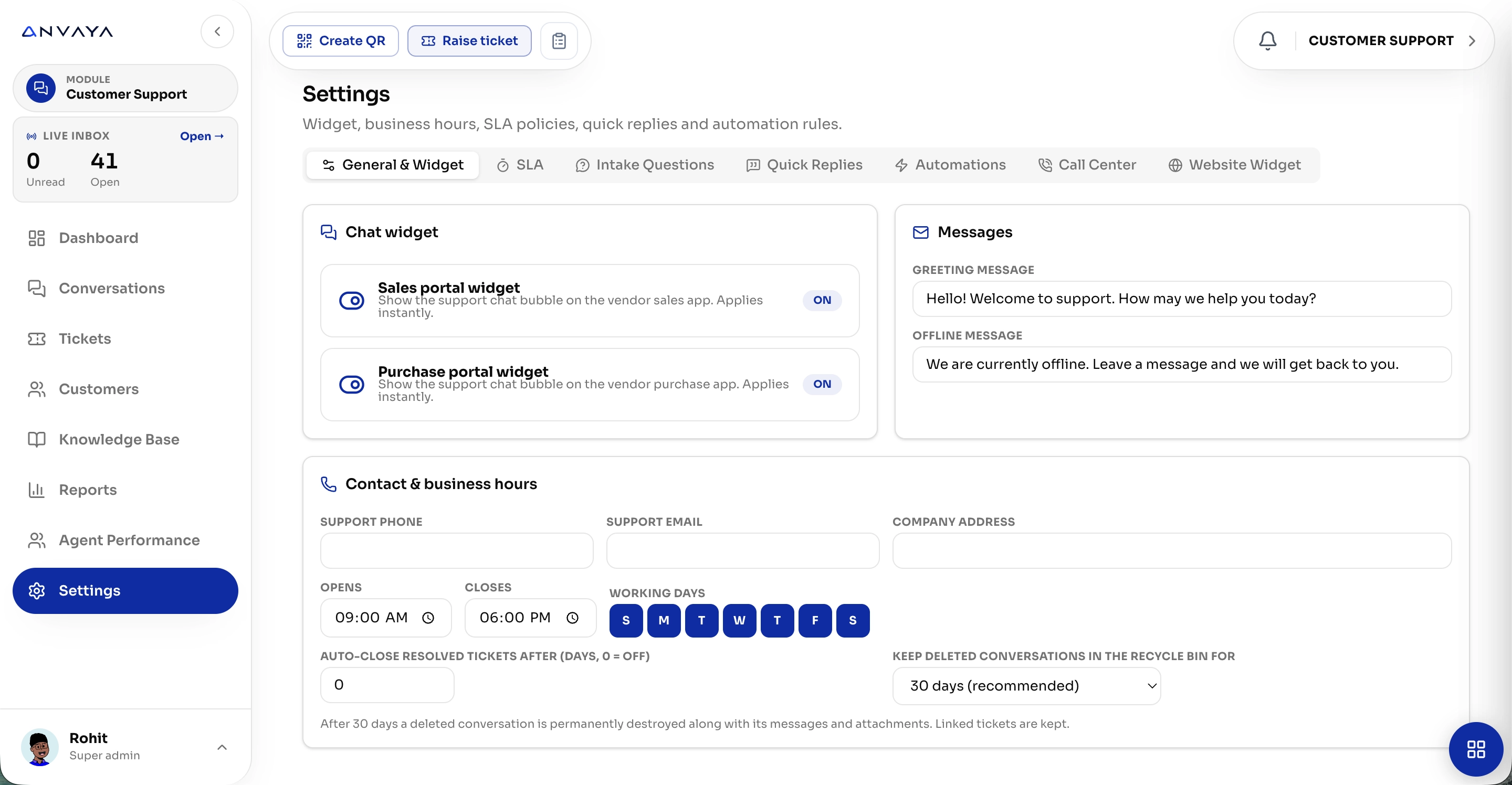
Configure widgets, business hours, SLAs, quick replies, automations, messages, and support preferences - so Customer Support works exactly the way your business operates.
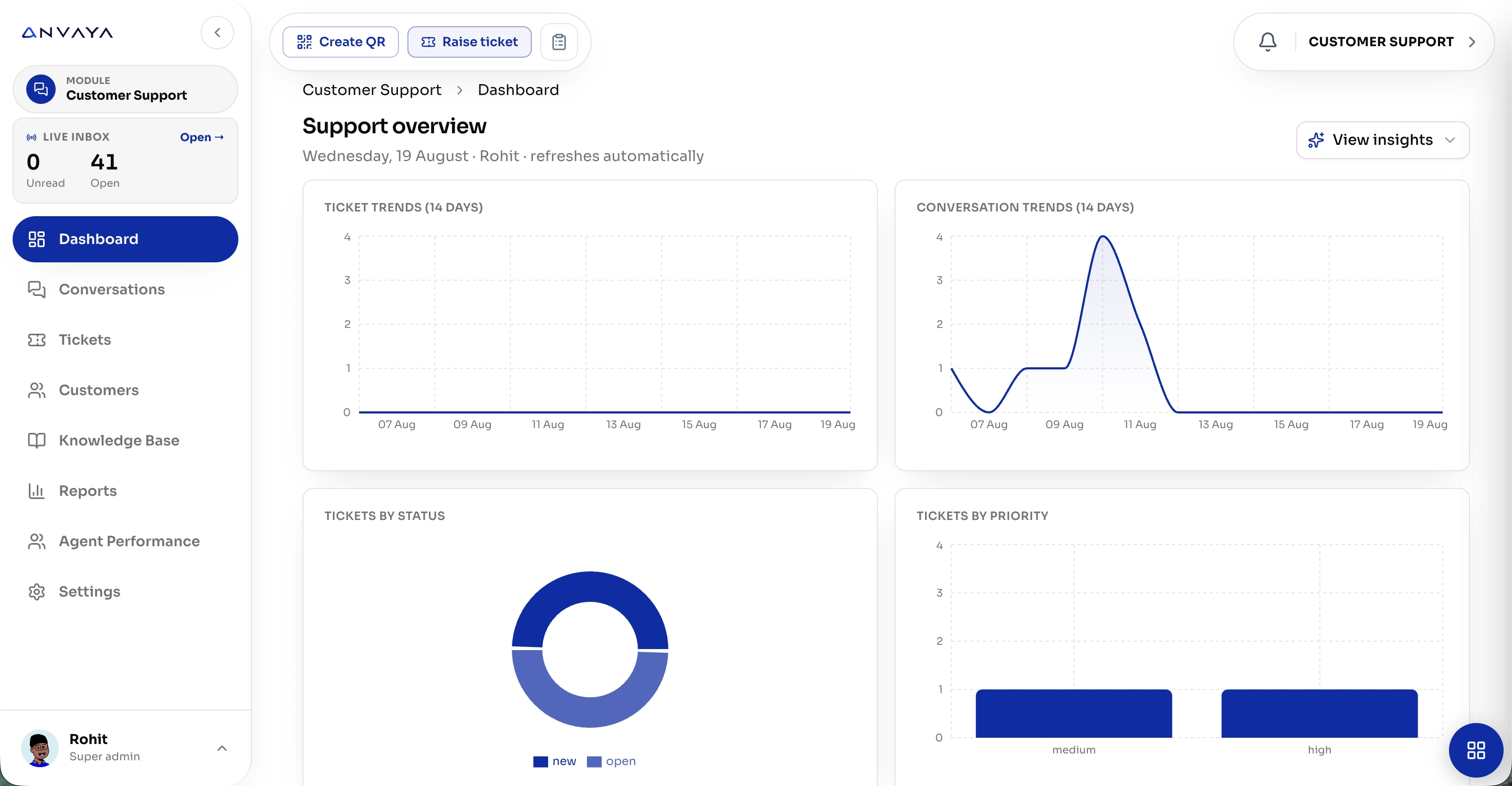
See Your Support.
Understand Your Customers.
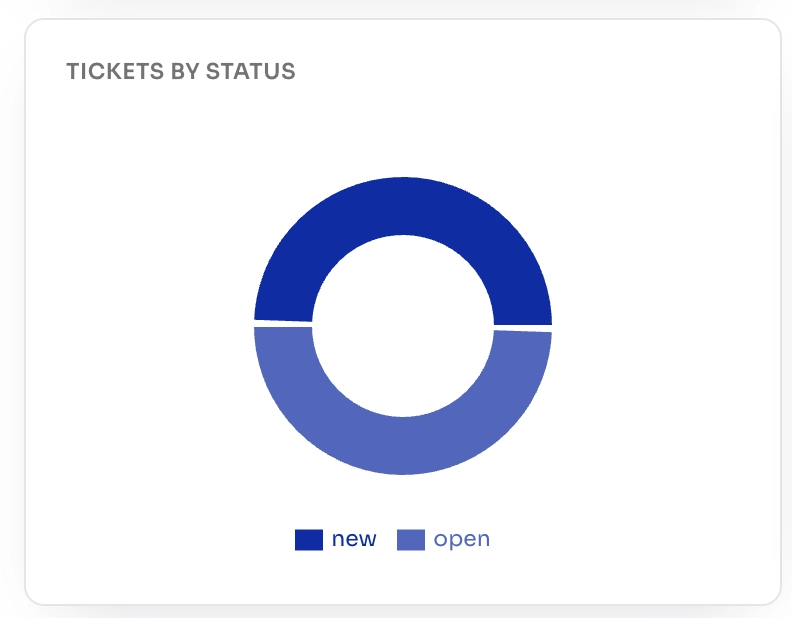
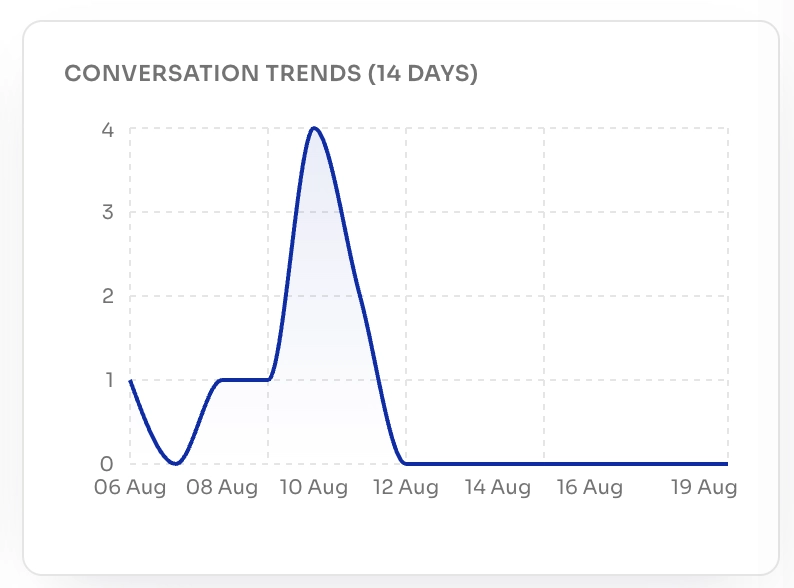
Get a real-time view of tickets, conversations, priorities, and support trends - giving your team the clarity to act faster and deliver better customer experiences.

Support That Fits
Your Website.
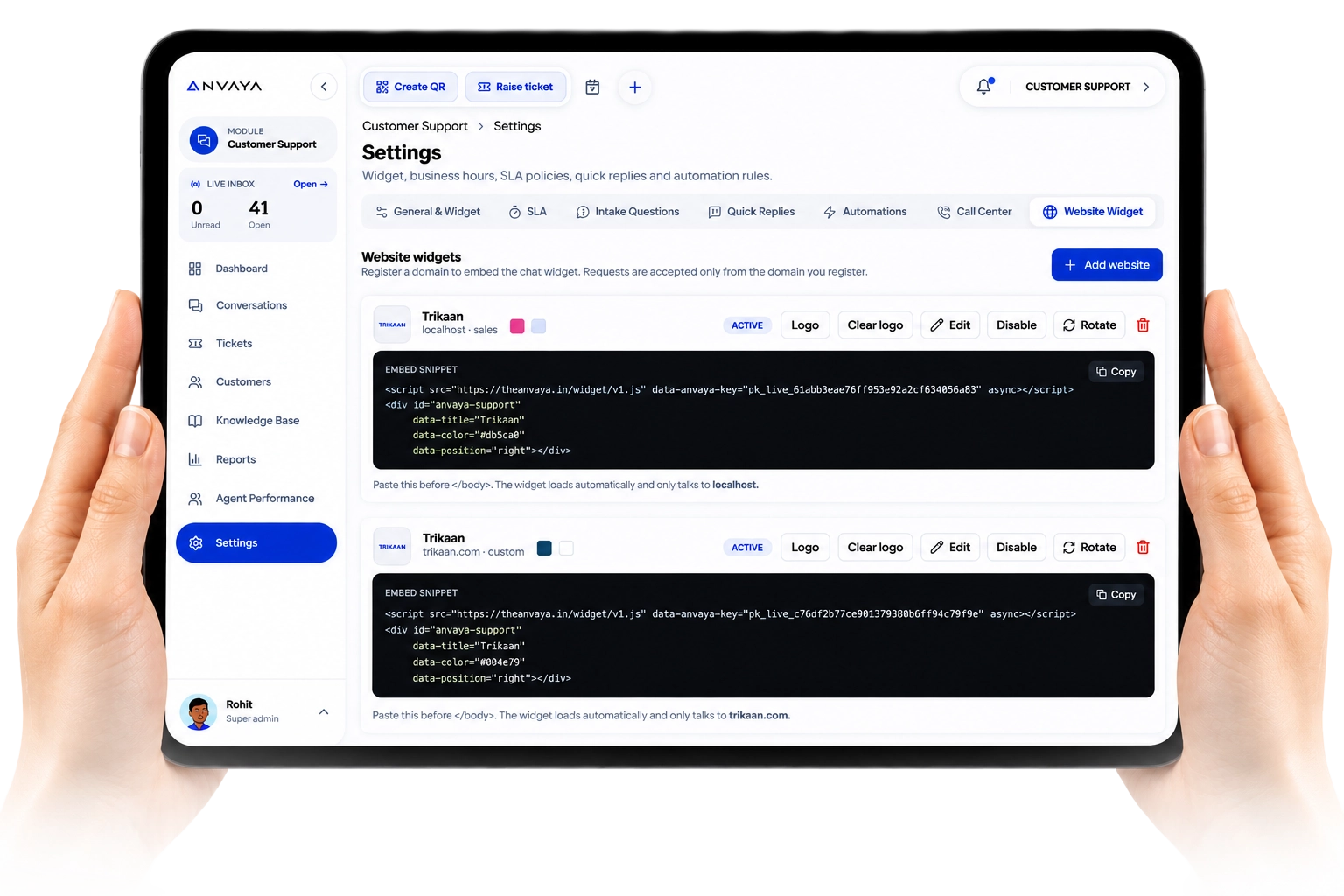
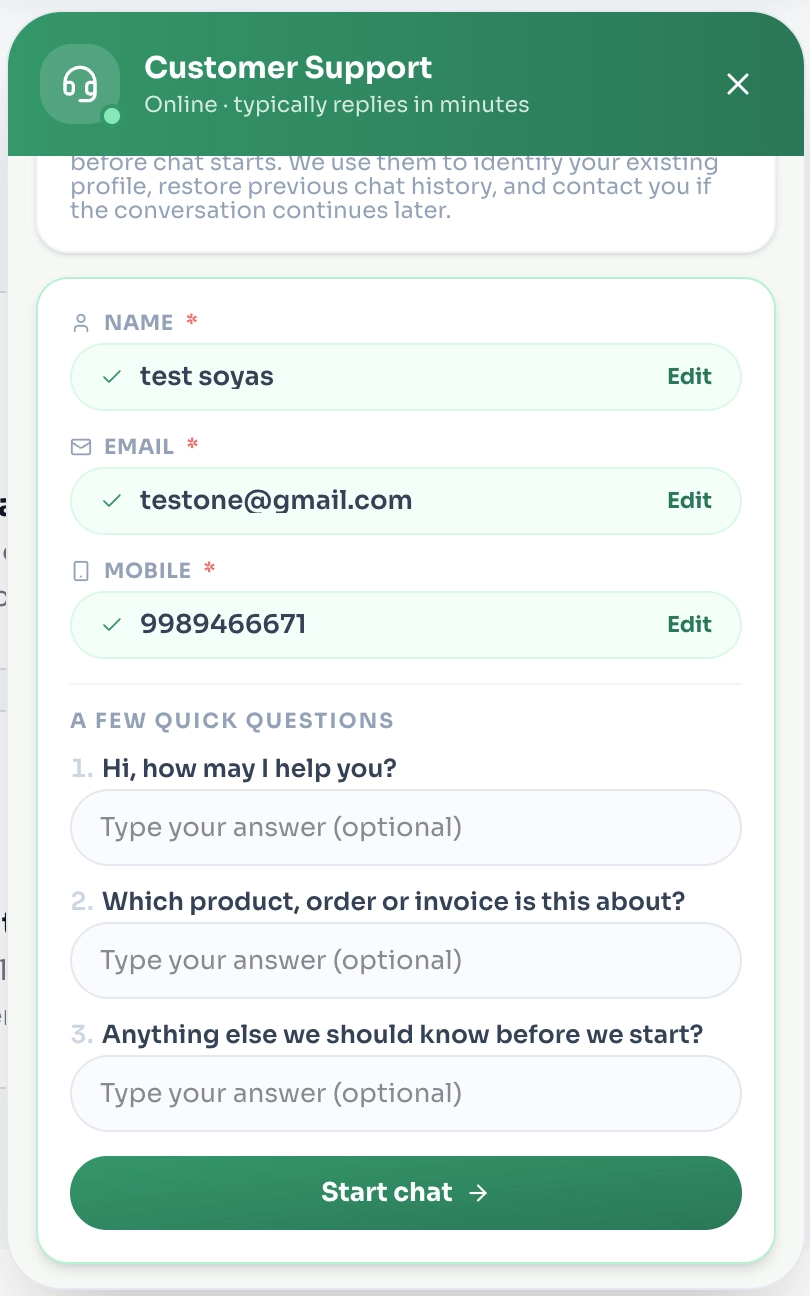
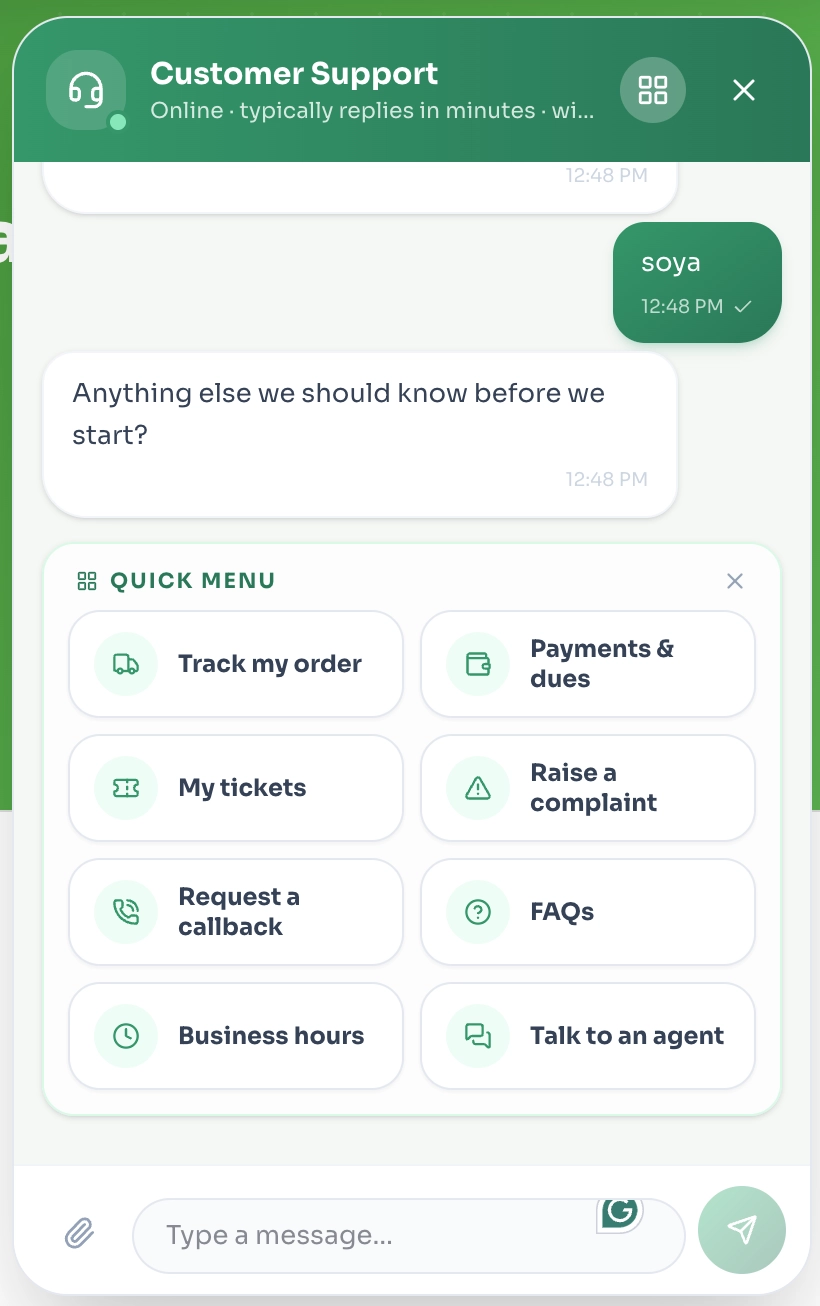
Add the Anvaya Customer Support widget to any website with a simple embed. Customize the experience, capture customer details, offer quick actions, and connect every conversation directly to your support team.

Support Comparison
From Manual Support
to Intelligent
Facility Control

Problem 01
Customer conversations are scattered across websites, forms, email, and different platforms. Teams lose context, miss requests, and struggle to follow every issue from start to finish.

Problem 02
Without a single support system, it is difficult to track open issues, response times, escalations, customer history, and team performance.

Solution 01
Embed Anvaya Customer Support as a lightweight widget on any website or digital platform. Customers can start conversations, raise requests, and get help without leaving the experience.
Solution 02
Every conversation becomes a connected support record in Anvaya — giving your team complete visibility into tickets, conversations, assignments, follow-ups, escalations, resolution status, and customer history.

One Platform.
One Business.

Customer
Support

HR

Employee
Portal
Manage
Contractor

Manage User

Inventory

Warehouse

Logistics
Weigh Bridge

Scan






Which issues are being reported
repeatedly?
Which ticket needs immediate
attention?
What is causing the most support
escalations?


Connect AI directly to Anvaya Customer Support and turn every conversation into instant, actionable support.
Your Customer Data.
Your Rules.
Your AI.


What are the most common issues
customers reported today?

Show me customers waiting
for a response.

Summarize today’s unresolved
conversations.
Frequently Asked Questions
Questions, answered
Can I add Customer Support to my existing website?
Yes. Add the Anvaya Support widget to any website with a simple integration.
Can customers raise support requests directly?
Yes. Customers can start conversations, submit issues, and track their requests directly through the widget.
Can I track every conversation?
Yes. Conversations, tickets, follow-ups, assignments, escalations, and resolutions can all be tracked in Anvaya.
Can I assign tickets to my support team?
Yes. Assign, prioritize, escalate, and monitor tickets from one centralized workspace.
Can customers see their previous conversations?
Yes. Customer history and previous interactions can be maintained for better context and faster resolution.
Can I track unresolved and overdue issues?
Yes. Teams can monitor open, pending, escalated, and overdue support requests in real time.
Can Customer Support work across multiple websites?
Yes. You can use the support widget across multiple websites and manage the conversations centrally in Anvaya.
Does it support AI?
Yes. AI can help analyze conversations, identify recurring issues, summarize tickets, and surface support insights.
Can I track support performance?
Yes. Monitor response times, resolution times, ticket volumes, escalations, and team performance.
Can Customer Support connect with other Anvaya apps?
Yes. Customer Support can connect with relevant Anvaya apps so customer issues and operational activity stay connected.
One Security Platform. Complete Facility Visibility.
9:41
Support That Never
Misses a Customer
Resolve issues faster, keep every conversation connected, and give your team one clear view of every customer request - from first message to final resolution.
Your Customers Have More Than One Support Problem.
Customer Support Is Not Just a Ticket.
It Is the Digital Connection to Every Customer.
Traditional support focuses on resolving individual issues. Anvaya connects conversations, requests, tickets, and customer history into one seamless support experience.
Every Conversation. One Connected Support Inbox.
Bring website chats, portal requests, tickets, customer history, assignments, and support insights together in Anvaya - so your team can see, manage, and resolve everything from one place.
Every Issue, Tracked From Start to Resolution.
Create, assign, prioritize, monitor, and resolve customer tickets with complete visibility across your support team.
Every Customer. One Complete View.
Bring customer details, orders, conversations, tickets, billing, and support history together in one connected workspace - so your team always knows who the customer is and what they need.
Every Answer, Ready When Customers Need It.
Turn FAQs, guides, policies, manuals, and troubleshooting content into a searchable knowledge base - available directly inside your support widget for faster, self-service resolution.
Every Support Insight, All in One View.
Track conversations, tickets, categories, channels, departments, and support trends with clear reports so your team can measure performance, spot recurring issues, and make better decisions.
Every Agent. Every Action. Accountable.
Track workloads, assignments, response times, resolutions, escalations, and SLA performance in one place - so you know what your support team is handling and where help is needed.
Your Support. Your Rules. Your Workflow.
Configure widgets, business hours, SLAs, quick replies, automations, messages, and support preferences - so Customer Support works exactly the way your business operates.
See Your Support. Understand Your Customers.
Get a real-time view of tickets, conversations, priorities, and support trends - giving your team the clarity to act faster and deliver better customer experiences.
Support That Fits Your Website.
Add the Anvaya Customer Support widget to any website with a simple embed. Customize the experience, capture customer details, offer quick actions, and connect every conversation directly to your support team.
From Manual Support
to Intelligent
Facility Control
Problem 01
Customer conversations are scattered across websites, forms, email, and different platforms. Teams lose context, miss requests, and struggle to follow every issue from start to finish.
Problem 02
Without a single support system, it is difficult to track open issues, response times, escalations, customer history, and team performance.
Solution 01
Embed Anvaya Customer Support as a lightweight widget on any website or digital platform. Customers can start conversations, raise requests, and get help without leaving the experience.
Solution 02
Every conversation becomes a connected support record in Anvaya — giving your team complete visibility into tickets, conversations, assignments, follow-ups, escalations, resolution status, and customer history.
One Platform. One Business.





Your Customer Data.
Your Rules.
Your AI.
Connect AI directly to Anvaya Customer Support and turn every conversation into instant, actionable support.
Frequently Asked Questions
Questions, answered
Yes. Add the Anvaya Support widget to any website with a simple integration.
Yes. Customers can start conversations, submit issues, and track their requests directly through the widget.
Yes. Conversations, tickets, follow-ups, assignments, escalations, and resolutions can all be tracked in Anvaya.
Yes. Assign, prioritize, escalate, and monitor tickets from one centralized workspace.
Yes. Customer history and previous interactions can be maintained for better context and faster resolution.
Yes. Teams can monitor open, pending, escalated, and overdue support requests in real time.
Yes. You can use the support widget across multiple websites and manage the conversations centrally in Anvaya.
Yes. AI can help analyze conversations, identify recurring issues, summarize tickets, and surface support insights.
Yes. Monitor response times, resolution times, ticket volumes, escalations, and team performance.
Yes. Customer Support can connect with relevant Anvaya apps so customer issues and operational activity stay connected.

Operational software and unified enterprise backbones for physical industries. We build the systems that actually run real workflows.
© 2026 Anvaya. All rights reserved.
